
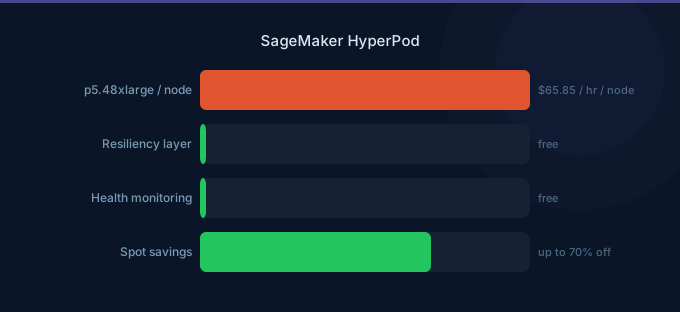
Training large language models and foundation models requires multi-node GPU clusters running for days or weeks. SageMaker HyperPod provides persistent, resilient clusters purpose-built for this workload. The pricing is based on the underlying instances — you pay for the nodes in your cluster — but the real value is in what it saves: automatic fault tolerance that reduces wasted compute from hardware failures by over 40%.
When you are spending $50,000-$500,000 per training run on a large model, a single node failure that forces a restart from scratch is catastrophic. HyperPod's deep health checks and automatic node replacement turn a potential multi-day restart into a brief interruption.
TL;DR: HyperPod charges for underlying instances only (no orchestration fee). A 4-node p5.48xlarge cluster costs $263.40/hr ($192,082/month). Automatic fault tolerance saves 40%+ by preventing full restarts on node failures. Deep health checks catch degraded nodes before they waste compute. Best for training runs over 24 hours on 4+ GPU nodes.
HyperPod Pricing Model
HyperPod has no orchestration or management fee. You pay for the EC2 instances in your cluster plus associated networking and storage.
Supported Instance Pricing
| Instance | GPUs | GPU Memory | On-Demand/hr | Monthly (persistent) |
|---|---|---|---|---|
| ml.p4d.24xlarge | 8x A100 40GB | 320 GB | $37.69 | $27,514 |
| ml.p4de.24xlarge | 8x A100 80GB | 640 GB | $44.47 | $32,463 |
| ml.p5.48xlarge | 8x H100 80GB | 640 GB | $65.85 | $48,071 |
| ml.trn1.32xlarge | 16x Trainium | 512 GB | $21.50 | $15,695 |
| ml.trn1n.32xlarge | 16x Trainium (EFA) | 512 GB | $24.78 | $18,089 |
Cluster Cost Examples
| Cluster Configuration | Nodes | GPU Count | On-Demand/hr | Monthly |
|---|---|---|---|---|
| 4x ml.p4d.24xlarge | 4 | 32x A100 | $150.76 | $110,055 |
| 8x ml.p4d.24xlarge | 8 | 64x A100 | $301.52 | $220,110 |
| 4x ml.p5.48xlarge | 4 | 32x H100 | $263.40 | $192,282 |
| 8x ml.p5.48xlarge | 8 | 64x H100 | $526.80 | $384,564 |
| 16x ml.p5.48xlarge | 16 | 128x H100 | $1,053.60 | $769,128 |
| 8x ml.trn1.32xlarge | 8 | 128x Trainium | $172.00 | $125,560 |
Additional Costs
| Component | Price |
|---|---|
| EFA networking | Included with supported instances |
| FSx for Lustre (shared storage) | $0.145/GB-month (persistent) |
| S3 (checkpoint storage) | $0.023/GB-month |
| CloudWatch monitoring | Standard CloudWatch rates |
A typical HyperPod deployment includes FSx for Lustre as shared high-performance storage. For a 10 TB filesystem, add $1,450/month.
Fault Tolerance: The Core Value
The Problem with Standard Training
In a standard multi-node training job (SageMaker Training or self-managed EC2), a single node failure causes the entire job to fail. The job must restart from the last checkpoint.
Cost of failure without HyperPod:
| Scenario | Training Time | Failure After | Wasted Compute | Wasted Cost |
|---|---|---|---|---|
| 8x p5.48xlarge, 72hr training | 72 hours | 48 hours | 48 hrs x 8 nodes | $25,286 |
| 16x p5.48xlarge, 1 week | 168 hours | 120 hours | 120 hrs x 16 nodes | $126,432 |
| 8x p4d.24xlarge, 5 days | 120 hours | 96 hours | 96 hrs x 8 nodes | $28,946 |
At scale, hardware failures are not rare — they are expected. With 16 nodes running for a week, the probability of at least one failure is significant. AWS estimates that clusters of 16+ GPU nodes experience a failure every 2-3 days on average.
How HyperPod Handles Failures
- Deep health checks continuously monitor GPU, network, and memory on every node
- Degraded node detection identifies nodes with reduced performance before they fail completely
- Automatic node replacement swaps a failed node with a healthy one without stopping the cluster
- Automatic training resumption restarts training from the last checkpoint on the replaced node
| Feature | Standard SageMaker Training | HyperPod |
|---|---|---|
| Node failure handling | Job fails, manual restart | Auto-replace, auto-resume |
| Health monitoring | Basic CloudWatch | Deep GPU/network/memory checks |
| Checkpoint management | Manual S3 checkpointing | Integrated, automatic |
| Downtime per failure | Hours (manual restart) | Minutes (auto-replacement) |
| Compute waste per failure | Full time since checkpoint | Only the replacement gap |
Estimated savings: For a 1-week training run on 16x p5.48xlarge, HyperPod's fault tolerance saves an estimated $50,000-$150,000 by avoiding full restarts. AWS claims over 40% reduction in wasted compute for large-scale training.
Slurm Integration
HyperPod supports Slurm as the cluster workload manager, making it familiar to HPC teams.
| Feature | Detail |
|---|---|
| Scheduler | Slurm (native) |
| Job submission | sbatch, srun |
| Partitions | Map to instance groups |
| Multi-user support | Yes, shared cluster |
| Priority scheduling | Slurm fair-share |
| Job arrays | Supported |
Slurm integration means HyperPod clusters can be shared across multiple researchers and training jobs, improving utilization. Instead of each team provisioning their own cluster, a centralized HyperPod cluster with Slurm scheduling maximizes GPU utilization.
HyperPod vs Self-Managed EC2
| Feature | HyperPod | Self-Managed EC2 |
|---|---|---|
| Instance pricing | Same as EC2 | Same |
| Cluster setup | Managed (minutes) | Manual (days-weeks) |
| Fault tolerance | Automatic | Must build custom |
| Health monitoring | Deep GPU-level checks | Basic EC2 checks |
| Slurm setup | Managed | Manual installation |
| EFA networking | Auto-configured | Manual configuration |
| Node replacement | Automatic | Manual intervention |
| Storage integration | FSx for Lustre integrated | Manual setup |
| Engineering effort | Low | Very high |
Cost Comparison (8x p5.48xlarge, 1-Week Training)
| Component | HyperPod | Self-Managed EC2 |
|---|---|---|
| Instance costs | $88,474 | $88,474 |
| FSx for Lustre (10 TB) | $336 (1 week) | $336 |
| Engineering setup time | 0 (managed) | 40-80 hrs ($4,000-8,000) |
| Expected failure restart costs | $0 (auto-recovery) | $25,000-50,000 |
| Monitoring and ops | Included | CloudWatch + custom ($200) |
| Total | $88,810 | $118,010-146,810 |
HyperPod saves 25-40% in total cost of ownership for large training runs by eliminating engineering overhead and failure-related waste.
When to Use HyperPod vs Standard SageMaker Training
| Criteria | Use HyperPod | Use Standard SageMaker Training |
|---|---|---|
| Training duration | Over 24 hours | Under 24 hours |
| Number of nodes | 4 or more | 1-3 nodes |
| Training frequency | Ongoing/recurring | Occasional |
| Fault tolerance needs | Critical | Nice to have |
| Team structure | Shared cluster, multiple users | Individual jobs |
| Model size | Over 10B parameters | Under 10B parameters |
| Budget for single run | Over $10,000 | Under $10,000 |
For small to medium training jobs (single node, under 24 hours), standard SageMaker Training with Managed Spot is more cost-effective. HyperPod's value emerges at scale — when failures become statistically likely and restart costs become significant.
Cost Optimization Tips
-
Use Trainium instances for supported workloads. ml.trn1.32xlarge ($21.50/hr) delivers comparable training throughput to ml.p4d.24xlarge ($37.69/hr) for supported model architectures (transformers), saving 43%. Requires Neuron SDK compilation.
-
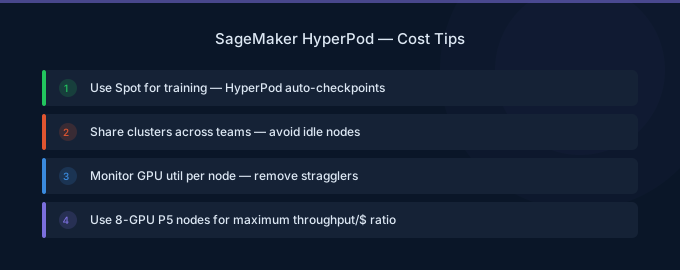
Checkpoint aggressively. Checkpoint every 15-30 minutes to minimize the gap between failure and last checkpoint. HyperPod auto-resumes from the last checkpoint, so more frequent checkpoints mean less re-computation.
-
Right-size your cluster. Use the minimum number of nodes that keeps training within your time window. Doubling the cluster from 8 to 16 nodes doubles cost but rarely halves training time due to communication overhead (typically 1.6-1.8x speedup for 2x nodes).
-
Share clusters via Slurm scheduling. Instead of each team provisioning separate clusters, use a shared HyperPod cluster with Slurm partitions. This improves GPU utilization from the typical 30-50% (single team) to 70-90% (shared).
-
Use FSx for Lustre scratch storage for temporary data. Scratch FSx costs $0.14/GB-month vs $0.145/GB-month for persistent, but scratch is automatically deleted — preventing storage sprawl.
-
Monitor GPU utilization continuously. Use HyperPod's deep health checks to identify underperforming nodes early. A node operating at 60% GPU efficiency due to degraded hardware wastes 40% of its cost over a multi-day run.
Related Guides
- AWS SageMaker Pricing: Training, Inference, Studio
- AWS SageMaker Training Guide
- AWS GPU Instance Pricing Guide
- AWS SageMaker Cost Optimization: Cut ML Costs
FAQ
How much does a SageMaker HyperPod cluster cost?
HyperPod charges for the underlying instances only. A 4-node p5.48xlarge (H100) cluster costs $263.40/hr or $192,282/month. A 4-node p4d.24xlarge (A100) cluster costs $150.76/hr or $110,055/month. Add FSx for Lustre storage costs ($0.145/GB-month) for shared high-performance storage.
Is HyperPod worth it for small training jobs?
No. HyperPod is designed for large-scale distributed training on 4 or more nodes lasting 24+ hours. For single-node or short training jobs, standard SageMaker Training with Managed Spot instances is more cost-effective. HyperPod's fault tolerance value only materializes when training runs are long enough that hardware failures become statistically likely.
How does HyperPod compare to training on EC2 directly?
HyperPod uses the same EC2 instances at the same hourly rates. The cost advantage comes from two areas: (1) eliminating engineering effort to set up and manage multi-node GPU clusters with Slurm, EFA networking, and fault tolerance (saving 40-80 engineering hours per project), and (2) reducing wasted compute from hardware failures by over 40% through automatic node replacement and training resumption.
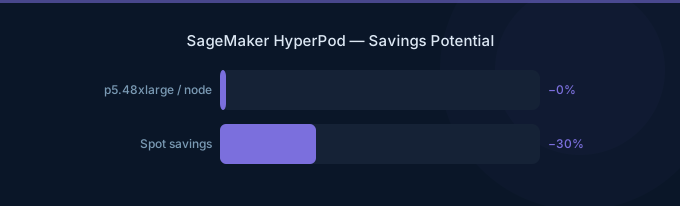
Lower Your SageMaker HyperPod Costs with Wring
Wring helps you access AWS credits and volume discounts to lower your SageMaker HyperPod costs. Through group buying power, Wring negotiates better rates so you pay less per GPU hour.


