Every FinOps practice, every cost optimization initiative, and every team accountability program depends on one thing: knowing who owns which resources. Tags are how you make that connection. Without tags, your AWS bill is a single number. With tags, it becomes a detailed breakdown by team, environment, project, and purpose.
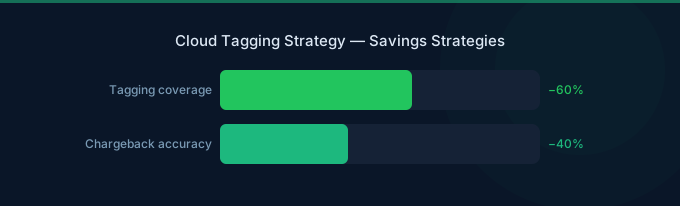
Most organizations know they should tag resources. Few do it consistently. The result: 40-60% of AWS resources are untagged or inconsistently tagged, making cost allocation a manual, error-prone process.
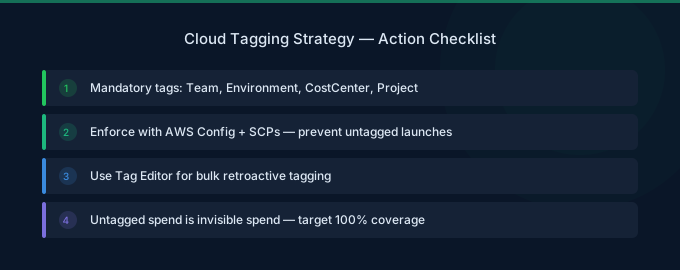
TL;DR: Start with 4 mandatory tags:
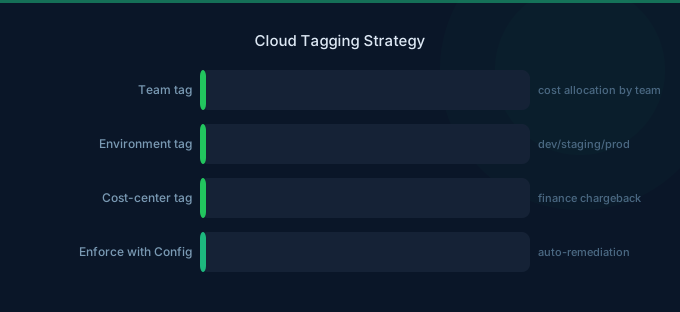
environment(prod/dev/staging),team(owning team),project(business project), andcost-center(finance code). Enforce with AWS Organizations Tag Policies. Detect violations with AWS Config. Automate tagging in IaC templates. The 30-day plan: Week 1 define schema, Week 2 tag existing resources, Week 3 enforce on new resources, Week 4 build cost reports.
The Essential Tag Schema
Tier 1: Mandatory Tags (Start Here)
| Tag Key | Purpose | Example Values |
|---|---|---|
environment | Separate prod from non-prod costs | production, staging, development, sandbox |
team | Cost ownership and accountability | platform, backend, data, ml, frontend |
project | Track project-level spending | search-api, recommendations, onboarding |
cost-center | Finance/accounting allocation | eng-001, data-002, infra-003 |
Tier 2: Operational Tags (Add When Ready)
| Tag Key | Purpose | Example Values |
|---|---|---|
service | Which microservice/application | user-service, payment-api, worker |
owner | Individual responsible | john.doe, jane.smith |
managed-by | How it was created | terraform, cloudformation, manual |
schedule | Automation schedule | business-hours, always-on, weekdays-only |
Tier 3: Advanced Tags (Mature Organizations)
| Tag Key | Purpose | Example Values |
|---|---|---|
data-classification | Security/compliance | public, internal, confidential |
backup-policy | Backup requirements | daily, weekly, none |
expiry-date | Auto-cleanup for temporary resources | 2026-04-15 |
compliance | Regulatory framework | hipaa, pci, sox |
Tag Naming Conventions
Consistent naming prevents the chaos of tags like Environment, environment, env, Env, and ENVIRONMENT all coexisting:
Rules:
- Lowercase with hyphens —
cost-center, notCostCenterorcost_center - No abbreviations —
environment, notenv - Consistent values —
production, not sometimesprodand sometimesproduction - No spaces in values —
data-engineering, notdata engineering - Document everything — Maintain a tag dictionary with allowed values
Enforcement Strategies
AWS Organizations Tag Policies
Tag Policies define which tags are required and what values are allowed. They prevent resources from being created with invalid tags.
What they enforce:
- Required tag keys on specified resource types
- Allowed values for tag keys (enumerated list)
- Case treatment (lowercase, uppercase, mixed)
Limitation: Tag Policies report compliance but don't block resource creation by default. Use them with Service Control Policies (SCPs) for hard enforcement.
AWS Config Rules
Create Config rules that detect untagged or incorrectly tagged resources:
required-tags— Checks that specific tags exist on resources- Custom rules — Check for allowed values, format compliance
Configure automatic remediation to notify resource owners or auto-tag resources with defaults.
IaC Enforcement
The most effective tagging enforcement happens at the infrastructure-as-code level:
- Terraform: Use
default_tagsin the provider block for account-wide defaults. Add validation in modules for required tags. - CloudFormation: Use
AWS::CloudFormation::StackSetdefault tags. Add tag parameters withAllowedValuesconstraints. - CI/CD pipeline checks: Reject deployments that create resources without required tags.
Tagging Existing Resources
The Tag Audit
Before adding tags, audit what exists:
- AWS Resource Groups Tag Editor — Search for resources missing specific tags across all regions
- AWS Config — Query for untagged resources
- Cost Explorer — Check "Not tagged" percentage in tag-filtered views
Bulk Tagging Approaches
Tag Editor (Console): Search for untagged resources, select multiple, apply tags. Good for one-time cleanup of dozens of resources.
AWS CLI scripting: For hundreds or thousands of resources, script tagging with the AWS CLI. Export resource lists from Tag Editor, add tag values in a spreadsheet, then apply via CLI.
Resource Groups Tagging API: Programmatically tag resources across multiple accounts and regions.
Priority: Tag the Expensive Resources First
Don't try to tag everything at once. Start with the resources that represent the most spending:
- EC2 instances (30-40% of bill)
- RDS databases (15-25% of bill)
- EKS clusters and node groups
- Load balancers
- S3 buckets (by cost, not count)
Tagging the top 50 most expensive resources gives you 80% cost attribution.
Building Cost Reports from Tags
Activate Cost Allocation Tags
Tags don't appear in Cost Explorer or CUR until activated:
- Go to Billing → Cost Allocation Tags
- Select your tags and click Activate
- Wait 24 hours for tags to appear in cost reports
Cost Explorer Views
Create saved reports for:
- Team costs: Group by
teamtag, monthly trend - Environment split: Group by
environment, identify non-production spend - Project costs: Group by
project, compare to budget - Untagged resources: Filter for "Not tagged" to track tagging progress
Untagged Resource Tracking
Set a goal: reduce untagged spend from current level to under 5%. Track this metric monthly. Any resource without tags is unattributable — you're flying blind on that portion of your bill.
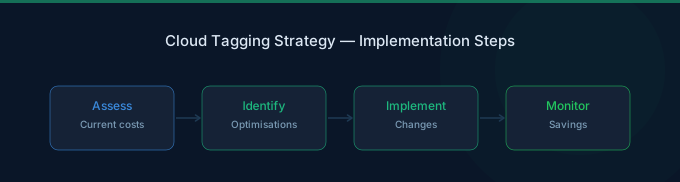
30-Day Implementation Plan
Week 1: Define and Document
- Define Tier 1 tag schema (4 mandatory tags)
- Document tag dictionary with allowed values
- Get stakeholder buy-in from engineering leads
- Enable Cost Allocation Tags in Billing console
Week 2: Tag Existing Resources
- Audit current tagging coverage with Tag Editor
- Tag the top 50 most expensive resources manually
- Script bulk tagging for remaining resources
- Track tagging coverage percentage
Week 3: Enforce on New Resources
- Configure Tag Policies in AWS Organizations
- Add required tags to Terraform/CloudFormation templates
- Set up AWS Config rules for tag compliance
- Add CI/CD pipeline checks for required tags
Week 4: Build Reports and Accountability
- Create Cost Explorer saved reports by team and project
- Set up weekly email reports to team leads
- Establish monthly cost review meetings using tag-based reports
- Set untagged spend target (under 5%)
Related Guides
- Cloud Unit Economics: Costs to Business Outcomes
- Cloud Cost Optimization Checklist
- What Is FinOps? Cloud Cost Management Guide
- Cloud Rightsizing Guide: Stop Paying for Waste
Frequently Asked Questions
How many tags should I start with?
Four: environment, team, project, and cost-center. These cover the essential cost management use cases: separating prod/non-prod, attributing costs to teams, tracking project spend, and enabling finance reporting. Add more tags only when you have a clear use case.
What percentage of resources should be tagged?
Target 95%+ of spending (by dollar amount) attributed to tagged resources. 100% resource coverage is impractical — some AWS-managed resources don't support tags. Focus on covering the expensive resources rather than achieving 100% resource count.
How do I handle shared resources?
Shared resources (load balancers, NAT gateways, shared databases) should be tagged with team: shared-infrastructure and allocated proportionally in cost reports. Use Cost and Usage Report (CUR) data for sophisticated allocation models that distribute shared costs based on usage metrics.
What happens to existing untagged resources?
They remain untagged until someone tags them. AWS doesn't auto-tag existing resources. Use Tag Editor for bulk tagging and AWS Config rules to identify untagged resources. Consider tagging untagged resources with team: unattributed to make them visible in reports.
Build Your Tagging Foundation
Tags are the foundation that makes every other FinOps practice possible. Without them, you're optimizing blind.
- Define 4 mandatory tags — environment, team, project, cost-center
- Tag expensive resources first — Top 50 resources = 80% cost coverage
- Enforce on new resources — Tag Policies, IaC templates, CI/CD checks
- Build cost reports — Team and project-level Cost Explorer views
- Track tagging coverage — Reduce untagged spend to under 5%
Lower Your Cloud Costs with Wring
Wring helps you access AWS credits and volume discounts to reduce your cloud bill. Through group buying power, Wring negotiates better per-unit rates across all AWS services.