
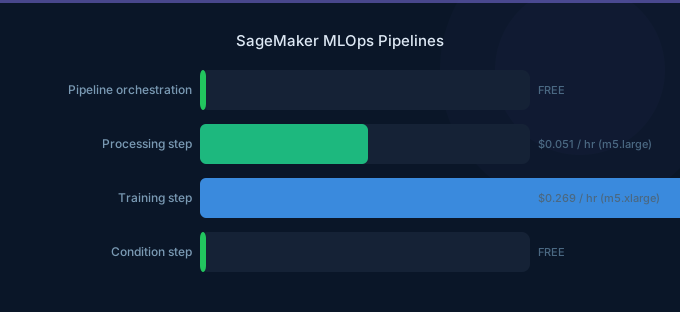
SageMaker Pipelines is AWS's native ML workflow orchestrator. The good news: there is no charge for pipeline orchestration itself. You pay only for the underlying compute resources — training instances, processing jobs, and transform jobs — that each pipeline step consumes. The hidden costs come from Model Monitor, Model Registry, and the supporting infrastructure that a production MLOps pipeline requires.
Understanding the full pricing picture means looking beyond Pipelines to the entire MLOps stack: data processing, training, evaluation, registration, deployment, and monitoring.
TL;DR: SageMaker Pipelines has no orchestration fee — you pay for underlying compute only. Model Registry is free. Model Monitor costs $0.078/hr per monitored endpoint. A typical MLOps pipeline (daily retraining, 3 production models) costs $200-800/month in compute. Pipeline caching can cut retraining costs by 30-50% by skipping unchanged steps.
Pipeline Step Types and Costs
Each step in a SageMaker Pipeline runs as a managed job. The pipeline itself is free — costs come from what each step executes.
| Step Type | What It Does | Pricing |
|---|---|---|
| Processing | Data prep, evaluation, feature engineering | Per-second instance billing |
| Training | Model training | Per-second instance billing (Spot available) |
| Transform | Batch inference on datasets | Per-second instance billing |
| RegisterModel | Add model to Model Registry | Free |
| Condition | Branch logic (if/else) | Free |
| Lambda | Run AWS Lambda functions | Standard Lambda pricing |
| Callback | Wait for external process | Free (wait time not billed) |
| QualityCheck | Data/model quality validation | Processing instance billing |
| ClarifyCheck | Bias and explainability checks | Processing instance billing |
| Fail | Mark pipeline as failed | Free |
Typical Pipeline Cost Breakdown
A standard ML pipeline with daily execution:
| Step | Instance | Duration | Daily Cost | Monthly Cost |
|---|---|---|---|---|
| Data Processing | ml.m5.xlarge | 30 min | $0.12 | $3.60 |
| Training | ml.g5.xlarge (Spot) | 2 hrs | $0.61 | $18.30 |
| Evaluation | ml.m5.large | 15 min | $0.03 | $0.90 |
| Batch Transform | ml.g5.xlarge | 30 min | $0.50 | $15.00 |
| Model Registration | — | Instant | $0.00 | $0.00 |
| Total | $1.26 | $37.80 |
Model Registry
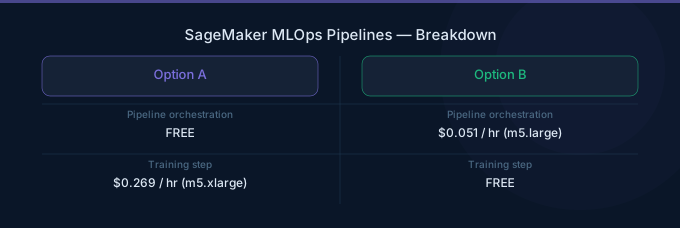
SageMaker Model Registry stores model versions, tracks approval status, and manages model metadata. It is completely free — no charge for storing model versions, model groups, or metadata.
| Feature | Cost |
|---|---|
| Model version storage | Free |
| Model groups | Free |
| Approval workflow | Free |
| Model metadata/tags | Free |
| Model artifact storage | Standard S3 pricing |
The only cost associated with Model Registry is S3 storage for the actual model artifacts. A typical model artifact is 100 MB-5 GB, costing $0.002-$0.12/month in S3 Standard.
Model Monitor
Model Monitor detects data drift, model quality degradation, bias drift, and feature attribution drift. It runs as a scheduled processing job on your inference endpoints.
| Monitor Type | Price | Frequency |
|---|---|---|
| Data Quality | $0.078/hr per endpoint | Hourly (configurable) |
| Model Quality | $0.078/hr per endpoint | Hourly (configurable) |
| Bias Drift | $0.078/hr per endpoint | Hourly (configurable) |
| Feature Attribution | $0.078/hr per endpoint | Hourly (configurable) |
Monthly monitoring costs per endpoint:
| Configuration | Monitors | Monthly Cost |
|---|---|---|
| Basic (data quality only, hourly) | 1 | $57 |
| Standard (data + model quality, hourly) | 2 | $114 |
| Comprehensive (all 4 monitors, hourly) | 4 | $228 |
| Basic (data quality only, daily) | 1 | $2.40 |
| Standard (data + model quality, daily) | 2 | $4.80 |
Cost optimization: Run monitors daily instead of hourly unless you need near-real-time drift detection. Daily monitoring costs 96% less than hourly monitoring.
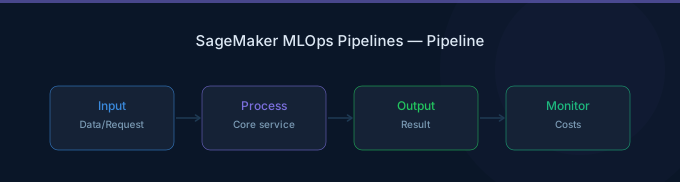
SageMaker Pipelines vs Alternatives
Pipelines vs Step Functions
| Feature | SageMaker Pipelines | AWS Step Functions |
|---|---|---|
| Orchestration cost | Free | $0.025 per 1,000 state transitions |
| ML-native steps | Yes (Training, Processing, etc.) | Requires custom integration |
| Pipeline caching | Yes | No (must build custom) |
| Model Registry | Integrated | Manual integration |
| Visual editor | Yes (Studio) | Yes (Workflow Studio) |
| Non-ML tasks | Limited | Full AWS service integration |
| Max execution time | Unlimited | 1 year (Standard), 5 min (Express) |
Verdict: Use SageMaker Pipelines for pure ML workflows. Use Step Functions when your workflow mixes ML with non-ML tasks (data ingestion from APIs, notification workflows, human approval gates across services).
Pipelines vs Airflow (MWAA)
| Feature | SageMaker Pipelines | Amazon MWAA (Airflow) |
|---|---|---|
| Orchestration cost | Free | $0.49/hr (smallest environment) |
| Monthly base cost | $0 | $357/month minimum |
| ML integration | Native | Requires SageMaker operators |
| DAG complexity | ML-focused steps only | Arbitrary Python DAGs |
| Scheduling | Built-in (EventBridge) | Built-in (cron) |
| Team familiarity | SageMaker SDK | Airflow ecosystem |
Verdict: SageMaker Pipelines saves $357+/month on orchestration costs alone vs MWAA. Choose Airflow only if your team already uses it extensively or if your ML workflows require complex non-ML orchestration that Pipelines cannot express.
Cost Comparison for a Typical MLOps Setup
| Component | Pipelines | Step Functions | MWAA |
|---|---|---|---|
| Orchestration (30 daily runs) | $0 | $23/month | $357/month |
| Compute (same workload) | $500 | $500 | $500 |
| Monitoring infra | Included | CloudWatch extra | CloudWatch extra |
| Total | $500 | $523 | $857 |
Pipeline Caching
Pipeline caching is the most impactful cost optimization feature. When enabled, SageMaker skips steps whose inputs have not changed since the last successful run.
How it works:
- Each step generates a cache key based on its inputs (data, code, parameters)
- If the cache key matches a previous successful execution, the step is skipped
- Output from the cached run is reused
Cost impact:
| Scenario | Without Caching | With Caching | Savings |
|---|---|---|---|
| Daily retrain, data unchanged 50% of days | $37.80/month | $22.70/month | 40% |
| Weekly retrain, only preprocessing changes | $9.45/month | $5.10/month | 46% |
| Hourly pipeline, data rarely changes | $907/month | $300/month | 67% |
Enable caching with a single parameter: cache_config=CacheConfig(enable_caching=True, expire_after="30d").
Cost Optimization Tips
-
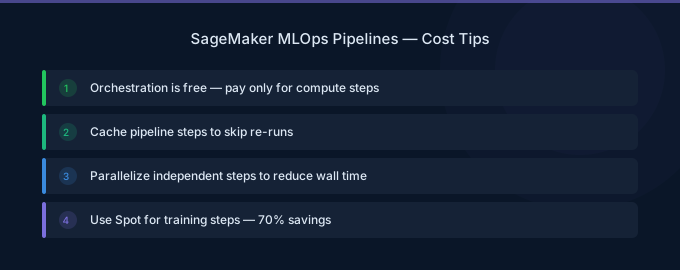
Enable pipeline caching on every step. Caching skips unchanged steps automatically, saving 30-67% on repeated pipeline runs with stable inputs.
-
Use Managed Spot Training in pipeline training steps. Spot instances reduce training costs by 60-70%. Set
use_spot_instances=Truein your Estimator configuration within the pipeline. -
Run Model Monitor daily, not hourly. Unless you need near-real-time drift alerts, daily monitoring reduces monitoring costs by 96% — from $57/month to $2.40/month per endpoint per monitor type.
-
Right-size processing step instances. Data processing and evaluation steps often run on oversized instances. Profile your processing jobs and choose the smallest instance that completes within your time window.
-
Use Lambda steps for lightweight operations. Model registration, notifications, metadata updates, and conditional logic can run as Lambda functions (free for light usage) instead of spinning up processing instances.
-
Schedule pipelines during off-peak hours. If your pipeline uses Spot Training, running during off-peak hours (nights, weekends) increases Spot availability and reduces interruptions.
Related Guides
- AWS SageMaker Pricing: Training, Inference, Studio
- AWS SageMaker Training Guide
- AWS Step Functions Pricing Guide
- AWS SageMaker Cost Optimization: Cut ML Costs
FAQ
Does SageMaker Pipelines cost extra?
No. SageMaker Pipelines has no orchestration fee. You pay only for the compute resources each pipeline step uses — training instances, processing instances, and transform instances. Model Registry is also free. The only additional cost specific to the MLOps stack is Model Monitor at $0.078/hr per monitored endpoint.
How does pipeline caching save money?
Pipeline caching stores the outputs of each step keyed by its inputs. When you re-run a pipeline and a step's inputs have not changed, SageMaker skips the step entirely and reuses the cached output. This avoids rerunning expensive training or processing jobs when only downstream steps need updating.
Should I use SageMaker Pipelines or Step Functions for MLOps?
Use SageMaker Pipelines if your workflow is primarily ML-focused: data processing, training, evaluation, registration, and deployment. It has no orchestration cost and native integration with SageMaker services. Use Step Functions if your workflow mixes ML with significant non-ML tasks (multi-service orchestration, human approval workflows, complex branching logic across AWS services).
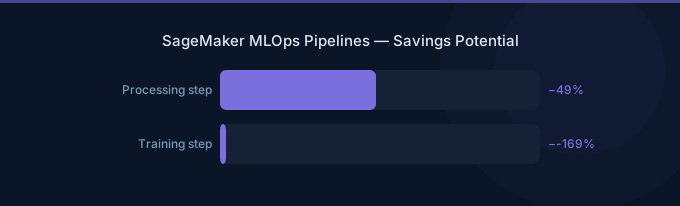
Lower Your SageMaker Pipelines Costs with Wring
Wring helps you access AWS credits and volume discounts to lower your SageMaker Pipelines costs. Through group buying power, Wring negotiates better rates so you pay less per pipeline step.


