
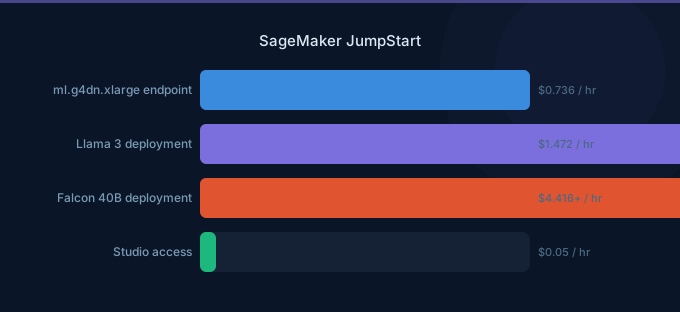
SageMaker JumpStart is AWS's model hub for deploying pre-trained and foundation models with one click. It hosts hundreds of models from Hugging Face, Meta (Llama), Stability AI (Stable Diffusion), and others. The pricing is straightforward: you pay for the hosting instance and nothing else. There is no per-model license fee, no per-token markup, and no model access charge.
The critical decision is whether to use JumpStart or Amazon Bedrock for foundation model inference. JumpStart gives you full control — dedicated instances, custom configurations, fine-tuning capability — but you pay for always-on compute. Bedrock offers pay-per-token simplicity but less control.
TL;DR: JumpStart charges only for hosting instances — no per-token fees. Deploy Llama 3 8B on ml.g5.2xlarge for $1.52/hr ($1,110/month). Fine-tuning costs the training instance hours only. JumpStart is cheaper than Bedrock at high volumes (over 1M tokens/day) but more expensive at low volumes. One-click deployment makes it easy to start.
How JumpStart Pricing Works
JumpStart has no model-specific fees. You pay for:
- Hosting instances — The endpoint instance running your model (per second)
- Fine-tuning instances — Training compute for customizing models (per second)
- S3 storage — Model artifacts and fine-tuning data (standard S3 rates)
That is the entire pricing model. No per-token charges, no API fees, no model licensing costs.
Instance Recommendations by Model Size
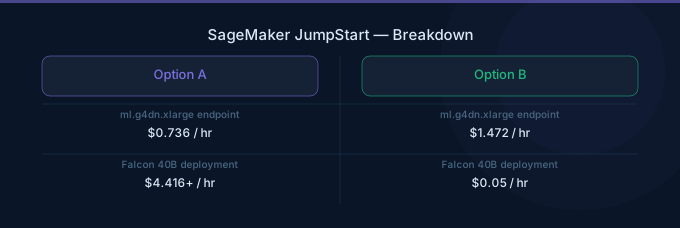
| Model Category | Example Models | Recommended Instance | On-Demand/hr | Monthly (24/7) |
|---|---|---|---|---|
| Small (under 3B params) | DistilBERT, MiniLM, Phi-2 | ml.g5.xlarge | $1.21 | $883 |
| Medium (3B-13B params) | Llama 3 8B, Falcon 7B, Mistral 7B | ml.g5.2xlarge | $1.52 | $1,110 |
| Large (13B-40B params) | Llama 2 13B, Falcon 40B, CodeLlama 34B | ml.g5.12xlarge | $7.09 | $5,176 |
| XL (40B-70B params) | Llama 2 70B, Falcon 180B | ml.g5.48xlarge | $20.36 | $14,863 |
| XL (alternative) | Llama 2 70B | ml.p4d.24xlarge | $37.69 | $27,514 |
| Image generation | Stable Diffusion XL, SDXL Turbo | ml.g5.2xlarge | $1.52 | $1,110 |
| Embeddings | BGE, E5, GTE | ml.g5.xlarge | $1.21 | $883 |
Instance selection depends on model parameters, quantization, and required throughput. A quantized (INT8/INT4) 70B model can fit on ml.g5.12xlarge instead of ml.g5.48xlarge, saving 65%.
Fine-Tuning Costs
JumpStart supports fine-tuning for many hosted models. You pay only for the training instance hours.
| Model | Instance | Training Time (typical) | Estimated Cost |
|---|---|---|---|
| Llama 3 8B (LoRA) | ml.g5.12xlarge | 2-4 hours | $14-28 |
| Llama 2 13B (LoRA) | ml.g5.12xlarge | 3-6 hours | $21-42 |
| Llama 2 70B (QLoRA) | ml.g5.48xlarge | 6-12 hours | $122-244 |
| Falcon 7B (full fine-tune) | ml.g5.12xlarge | 4-8 hours | $28-57 |
| Stable Diffusion (DreamBooth) | ml.g5.2xlarge | 1-2 hours | $1.52-3.04 |
Cost optimization for fine-tuning:
- Use LoRA or QLoRA instead of full fine-tuning — reduces instance requirements and training time by 60-80%
- Enable Managed Spot Training for 60-70% savings on training compute
- Start with a small dataset to validate your approach before scaling
JumpStart vs Bedrock
This is the most common question: should you use JumpStart (self-hosted) or Bedrock (managed API) for foundation model inference?
Cost Comparison: Llama 3 8B
| Usage Level | JumpStart (ml.g5.2xlarge) | Bedrock On-Demand |
|---|---|---|
| 100K tokens/day | $1,110/month | $2/month |
| 500K tokens/day | $1,110/month | $10/month |
| 1M tokens/day | $1,110/month | $20/month |
| 5M tokens/day | $1,110/month | $98/month |
| 10M tokens/day | $1,110/month | $195/month |
| 50M tokens/day | $1,110/month | $975/month |
| 100M tokens/day | $1,110/month (may need 2 instances) | $1,950/month |
Cost Comparison: Llama 2 70B
| Usage Level | JumpStart (ml.g5.48xlarge) | Bedrock On-Demand |
|---|---|---|
| 1M tokens/day | $14,863/month | $55/month |
| 10M tokens/day | $14,863/month | $547/month |
| 50M tokens/day | $14,863/month | $2,738/month |
| 100M tokens/day | $14,863/month | $5,475/month |
| 500M tokens/day | $14,863/month (may need scaling) | $27,375/month |
Feature Comparison
| Feature | JumpStart | Bedrock |
|---|---|---|
| Pricing model | Per instance-hour | Per token |
| Infrastructure management | You manage endpoints | Fully managed |
| Model customization | Full fine-tuning, LoRA | Bedrock fine-tuning (limited) |
| Model selection | 400+ open-source models | Curated models (Claude, Llama, etc.) |
| Quantization control | Full control | None (managed) |
| Auto-scaling | Manual configuration | Automatic |
| GPU selection | Your choice | AWS managed |
| Minimum cost | Instance cost 24/7 | $0 (pay per use) |
When to choose JumpStart:
- You need very high throughput (over 50M tokens/day)
- You want full control over the model (custom quantization, model merging, custom inference code)
- You need to fine-tune with full parameter access
- You want to run models not available on Bedrock
- Data residency requires dedicated instances
When to choose Bedrock:
- Variable or unpredictable traffic
- You want zero infrastructure management
- Traffic is under 50M tokens/day
- You need access to proprietary models (Claude, Titan)
- You want the simplest possible integration
One-Click Deployment
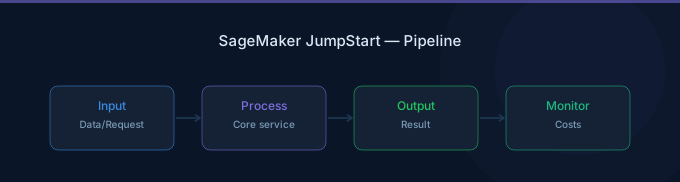
JumpStart's primary advantage is deployment simplicity. From the SageMaker Studio interface:
- Browse or search the model catalog
- Select a model
- Choose an instance type (JumpStart recommends one)
- Click "Deploy"
- Endpoint is ready in 5-15 minutes
No Docker containers to build, no model artifacts to download manually, and no inference code to write. JumpStart handles the model serving stack automatically.
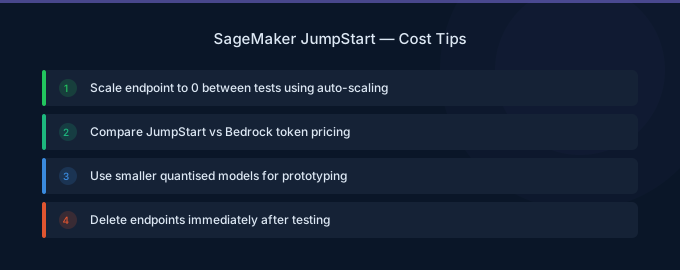
Cost Optimization Tips
-
Use auto-scaling with minimum 0 instances for dev/test. JumpStart endpoints support auto-scaling. Set the minimum to 0 outside business hours to avoid paying for idle GPU instances overnight and on weekends.
-
Quantize large models before deploying. A 70B parameter model in INT4 quantization fits on ml.g5.12xlarge ($7.09/hr) instead of ml.g5.48xlarge ($20.36/hr) — a 65% cost reduction with minimal quality loss for most use cases.
-
Use multi-model endpoints for embedding models. If you serve multiple embedding models (different domains or languages), host them on a single endpoint instead of deploying separate instances.
-
Start with Bedrock, migrate to JumpStart when volume justifies it. Bedrock is cheaper at low volumes and has no minimum commitment. Once your token volume exceeds the JumpStart break-even point (typically 30-50M tokens/day for a 7B model), migrate to dedicated hosting.
-
Use Spot Instances for fine-tuning. All JumpStart fine-tuning jobs support Managed Spot Training. Enable it to reduce fine-tuning costs by 60-70%.
-
Right-size your instance after deployment. Monitor GPU memory utilization and inference throughput for the first week. If GPU utilization is consistently under 40%, consider a smaller instance or model quantization.
Related Guides
- AWS SageMaker Pricing: Training, Inference, Studio
- AWS Bedrock Pricing Guide
- AWS Bedrock vs SageMaker
- AWS SageMaker Cost Optimization: Cut ML Costs
FAQ
How much does it cost to host Llama on SageMaker JumpStart?
Llama 3 8B on ml.g5.2xlarge costs $1.52/hr ($1,110/month). Llama 2 70B requires ml.g5.48xlarge at $20.36/hr ($14,863/month) for full precision, or ml.g5.12xlarge at $7.09/hr ($5,176/month) with INT4 quantization. Fine-tuning with LoRA on the 8B model costs roughly $14-28 per run.
Is JumpStart cheaper than Bedrock?
It depends on volume. JumpStart is cheaper at very high token volumes (over 30-50M tokens/day for 7B models) because you pay a flat instance rate regardless of throughput. Bedrock is cheaper at low to moderate volumes because you pay per token with no minimum. Most teams should start with Bedrock and migrate to JumpStart only when volume justifies dedicated instances.
Can I use JumpStart models commercially?
Model licensing depends on the specific model. Many Hugging Face models use Apache 2.0 (commercial use allowed). Meta Llama models have their own community license (commercial use allowed with conditions). Stable Diffusion models use CreativeML Open RAIL-M. Always check the model's license in the JumpStart catalog before commercial deployment.
Lower Your SageMaker JumpStart Costs with Wring
Wring helps you access AWS credits and volume discounts to lower your SageMaker JumpStart costs. Through group buying power, Wring negotiates better rates so you pay less per instance hour.


