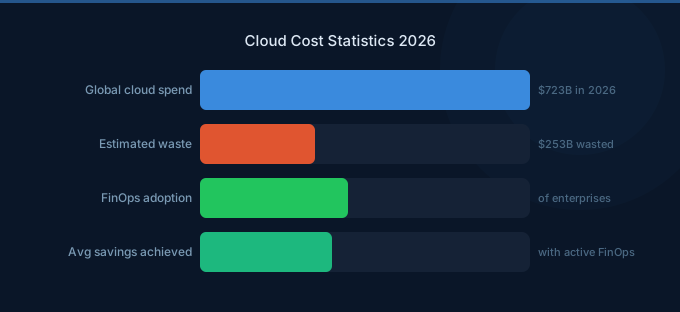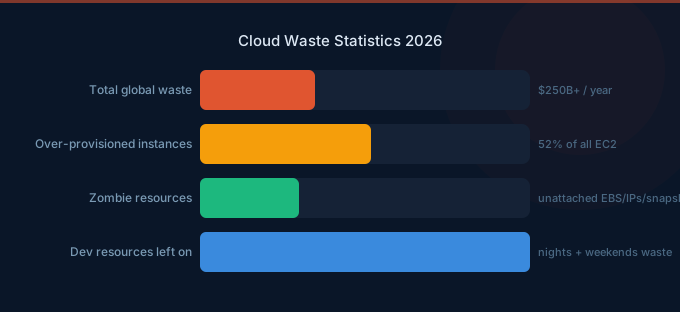
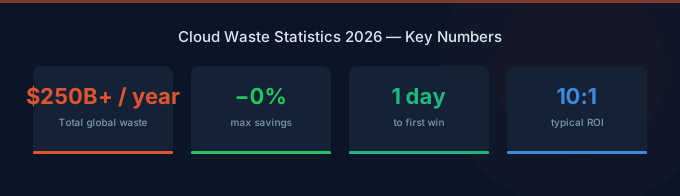
Cloud waste is the gap between what organizations pay for and what they actually use. Industry data from the Flexera State of the Cloud Report consistently shows this gap is 30-35% — meaning roughly one-third of every dollar spent on cloud infrastructure delivers no business value. At global scale, that's $200-250 billion in annual waste.
The frustrating part: most of this waste is fixable. Idle resources, over-provisioned instances, and uncovered commitments each have straightforward solutions. Organizations adopting FinOps practices reduce waste to 8-15%. The challenge isn't knowing what to do — it's getting organizations to prioritize doing it.
TL;DR: The cloud waste landscape in 2026: 30-35% of spend is wasted on average ($200-250B globally). The three biggest categories: idle resources (10-15% of bill), over-provisioned compute (15-20%), and missed commitment discounts (10-15%). New in 2026: AI/GPU waste is growing fastest — organizations waste 40-60% of GPU capacity due to idle inference endpoints and over-provisioned training clusters. Organizations with FinOps practices reduce waste to 8-15%.
The Scale of Cloud Waste
Waste Category 1: Over-Provisioned Resources (15-20%)
The Numbers
-
The average EC2 instance runs at 15-25% CPU utilization. This means 75-85% of provisioned compute capacity is unused at any given time.
-
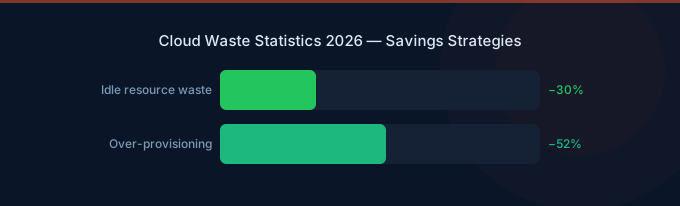
52% of cloud instances are over-provisioned by at least one size tier. Downsizing from xlarge to large — a single tier — saves 50% on that instance.
-
RDS databases are over-provisioned by 30-50% on average. Production databases sized for peak load run at 20-40% capacity during normal hours.
-
Kubernetes pods request 3-5x more CPU than they consume. This cascades into over-provisioned nodes, making K8s clusters one of the most wasteful deployment patterns.
-
Lambda functions are over-provisioned on memory by 40-60%. Most Lambda functions use a fraction of their allocated memory, and memory allocation determines cost per invocation.
Why It Happens
Engineers provision for peak load plus a safety margin. Nobody wants to be responsible for a production outage because they chose a smaller instance. The result: infrastructure permanently sized for worst-case scenarios that occur less than 5% of the time.
How to Fix It
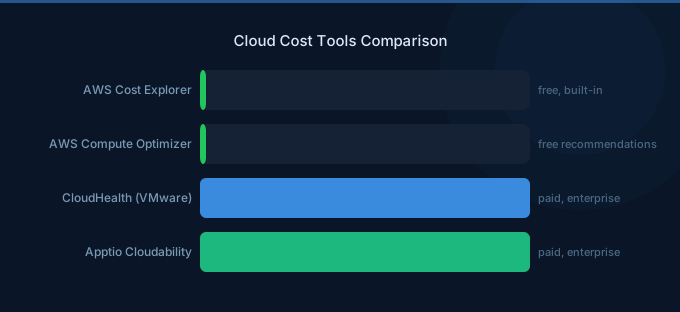
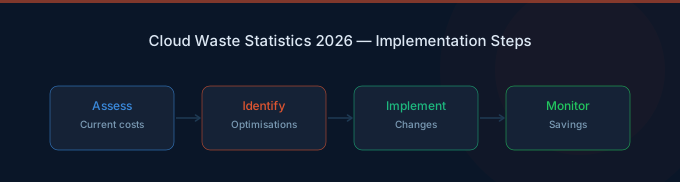
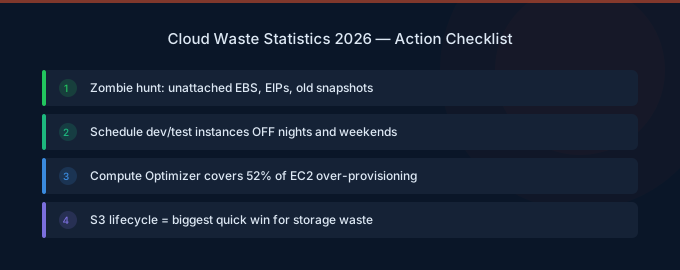
- Use Compute Optimizer — Free AWS tool that provides right-sizing recommendations for EC2, EBS, Lambda, and ECS
- Implement auto-scaling — Scale to demand instead of provisioning for peak
- Right-size in stages — Drop one tier at a time, monitor for 2 weeks, then evaluate
- Use VPA for Kubernetes — Vertical Pod Autoscaler provides data-driven pod sizing
Waste Category 2: Idle Resources (10-15%)
The Numbers
-
Up to 25% of EC2 instances in a typical account have CPU utilization below 5%. These are functionally idle — costing money while serving no production traffic.
-
30-40% of dev/test environments run 24/7 when they're only used during business hours. Scheduling these to stop outside working hours saves 65%.
-
15% of RDS instances have zero active connections over a 14-day period. These are completely idle databases, often from decommissioned applications.
-
Unattached EBS volumes accumulate at a rate of 5-10% per quarter as EC2 instances are terminated but their volumes persist. A typical enterprise has 50-200 orphaned volumes.
-
Elastic IPs not attached to running instances cost $3.65/month each. Small individually, but enterprises typically accumulate 20-100 unused IPs.
Why It Happens
The cloud makes it trivially easy to create resources and painfully easy to forget about them. There's no physical server rack reminding you that hardware exists. Resources created for testing, demos, or development often outlive their purpose by months or years.
How to Fix It
- Tag everything with an owner and purpose — Untagged resources should trigger alerts
- Schedule dev/test shutdowns — AWS Instance Scheduler or Lambda-based automation
- Monthly waste sweeps — Check for unattached volumes, idle instances, zero-connection databases
- Automated cleanup policies — Cloud Custodian rules to flag and terminate idle resources
- TTL tags — Set expiration dates on non-production resources at creation time
Waste Category 3: Missed Commitment Discounts (10-15%)
The Numbers
-
Savings Plans and Reserved Instances cover only 45-55% of eligible workloads on average. The uncovered portion pays full On-Demand pricing — a 30-72% premium over committed rates.
-
Organizations that optimize commitment coverage save an additional 15-25% versus those using only On-Demand pricing. This is pure cost reduction with zero performance impact.
-
15% of organizations are over-committed — they've purchased more Savings Plans or RIs than their usage justifies, resulting in wasted commitment charges.
-
Spot instances save 60-90% on eligible compute, but fewer than 20% of organizations use Spot for production workloads. Stateless web servers, workers, and batch jobs are ideal Spot candidates.
-
Graviton instances are 20% cheaper with equivalent performance, yet only 25-30% of eligible workloads have migrated. This is the simplest cost optimization with the least risk.
Why It Happens
Commitment optimization requires understanding your baseline usage, predicting future demand, and accepting some financial risk (what if usage drops?). Many organizations avoid commitments because they fear over-committing. The result: they overpay by 30-40% on predictable, baseline workloads.
How to Fix It
- Start conservative — Commit to 50-60% of your On-Demand baseline
- Use Compute Savings Plans — Maximum flexibility across instance families and regions
- Review quarterly — Adjust commitment levels as usage patterns change
- Implement Spot — Start with stateless workloads; expand as you build confidence
- Migrate to Graviton — 20% savings with minimal migration effort for most workloads
New in 2026: AI and GPU Waste
The Numbers
-
GPU inference endpoints are idle 40-65% of the time on average. Unlike CPU instances that can be multi-tenanted, idle GPUs represent pure waste.
-
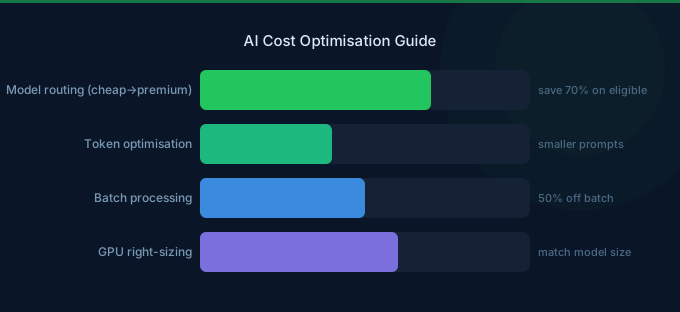
Organizations waste 40-60% of GPU spend due to over-provisioned training clusters, idle inference endpoints, and using NVIDIA GPUs when Inferentia would suffice.
-
Only 25% of organizations auto-scale GPU endpoints. The majority run inference endpoints at fixed capacity, paying for peak even during off-hours.
-
Training jobs that could use Spot instances run On-Demand 70% of the time, missing 60-70% savings on the most expensive compute in AWS.
Why It Happens
AI workloads are new enough that standard optimization practices haven't caught up. GPU instances are provisioned by data scientists and ML engineers who prioritize model performance over cost efficiency. And the tooling for GPU cost management is less mature than traditional compute tooling.
Waste by Company Stage
| Company Stage | Average Waste % | Primary Waste Source | Typical Dollar Waste/Month |
|---|---|---|---|
| Startup (under $10K/mo) | 35-45% | Idle resources, no commitments | $3,500-$4,500 |
| Scale-up ($10-50K/mo) | 30-40% | Over-provisioning, partial commitments | $3,000-$20,000 |
| Mid-market ($50-200K/mo) | 25-35% | Multi-account sprawl, K8s waste | $12,500-$70,000 |
| Enterprise ($200K+/mo) | 20-30% | AI/GPU waste, complex architectures | $40,000-$150,000+ |
Related Guides
- Cloud Cost Statistics: 40 Key Data Points
- Cloud Rightsizing Guide: Stop Paying for Waste
- State of Cloud Costs: Trends and Benchmarks
- What Is FinOps? Cloud Cost Management Guide
Frequently Asked Questions
How much cloud spend is wasted on average?
Industry data consistently shows 30-35% of cloud spend is wasted. For organizations without any cost optimization practice, waste can reach 40-50%. Organizations with mature FinOps practices reduce waste to 8-15%.
What's the biggest source of cloud waste?
Over-provisioned compute resources (15-20% of spend). The average EC2 instance runs at 15-25% CPU utilization, meaning 75-85% of provisioned capacity is unused. Right-sizing and auto-scaling address this directly.
How much can we save by eliminating waste?
First-round optimization typically captures 25-40% savings. This includes: deleting idle resources (immediate), right-sizing over-provisioned instances (1-2 weeks), implementing Savings Plans (1 month), and scheduling dev/test environments (1 day). The first three months of active optimization yield the highest returns.
Is cloud waste getting better or worse?
Both. Waste percentages are slowly improving as FinOps adoption grows (from 35-40% average waste five years ago to 30-35% today). But total dollar waste is increasing because cloud spending is growing faster than optimization efforts can keep up — especially with the rapid growth of AI/GPU workloads.
Stop Wasting Cloud Budget
Cloud waste is a solvable problem. The data is clear on both the scale of waste and the effectiveness of optimization:
- Measure your waste — Use Cost Explorer and Compute Optimizer to quantify idle and over-provisioned resources
- Fix idle resources first — Fastest ROI: delete what's not running, schedule what doesn't need 24/7
- Right-size compute — Downsize instances running below 30% utilization
- Implement commitments — Cover 50-60% of baseline with Savings Plans
- Address AI/GPU waste — Auto-scale inference endpoints, use Spot for training
Lower Your Cloud Costs with Wring
Wring helps you access AWS credits and volume discounts to reduce your cloud bill. Through group buying power, Wring negotiates better per-unit rates across all AWS services.