
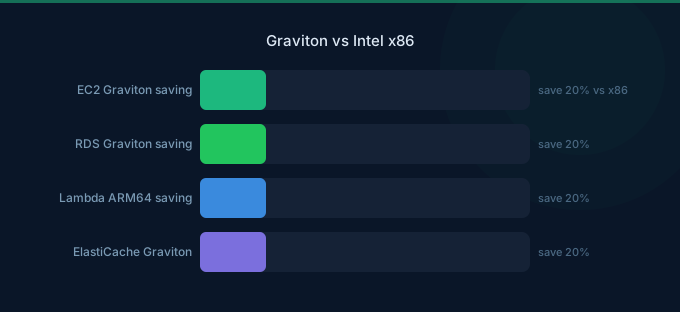
AWS Graviton processors are ARM-based chips designed by AWS. They cost 20% less per hour than Intel equivalents and deliver comparable or better performance for most workloads. That means you're paying 20% less for equal or better compute — a free savings lever that most teams ignore because they assume migration is complex.
It's not. The majority of web applications, databases, and containerized workloads run on Graviton without code changes. The few workloads that can't migrate are specific and well-documented.
TL;DR: Graviton instances (m7g, c7g, r7g) are 20% cheaper per hour than Intel equivalents (m7i, c7i, r7i) with comparable or better performance. Graviton4 extends this to 40% better price-performance. Most Linux workloads run without changes. Databases (RDS, ElastiCache), containers (ECS, EKS), and Lambda all support Graviton natively. Switch dev/test first, then production.
Price Comparison: Graviton vs Intel
EC2 Instance Pricing
| Family | Graviton | Intel | Savings | Use Case |
|---|---|---|---|---|
| m7g.xlarge | $0.1456/hr | m7i: $0.1814/hr | 20% | General purpose |
| c7g.xlarge | $0.1224/hr | c7i: $0.1530/hr | 20% | Compute-heavy |
| r7g.xlarge | $0.1428/hr | r7i: $0.1785/hr | 20% | Memory-heavy |
| m7g.16xlarge | $2.3296/hr | m7i: $2.9030/hr | 20% | Large workloads |
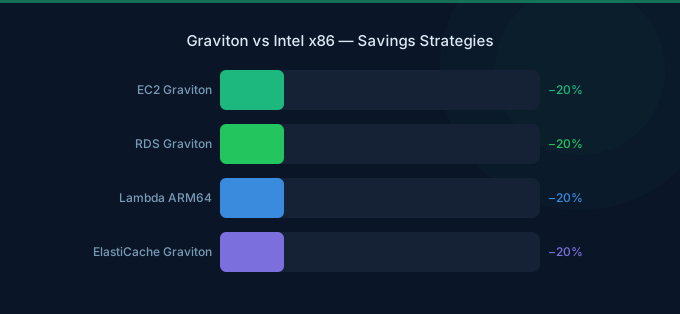
The 20% savings is consistent across all sizes within the same generation. See the EC2 pricing page for current rates. Graviton4 (R8g, announced 2024) extends this to higher performance levels.
Monthly Cost Example: Web Application Stack
| Component | Intel Choice | Cost/mo | Graviton Choice | Cost/mo |
|---|---|---|---|---|
| App servers (3x) | m7i.xlarge | $392 | m7g.xlarge | $314 |
| Database | db.r7i.xlarge | $465 | db.r7g.xlarge | $372 |
| Cache | r7i.large (ElastiCache) | $219 | r7g.large | $175 |
| Total | $1,076 | $861 | ||
| Annual savings | $2,580 |
That's $2,580/year saved by changing instance families — no architecture changes, no code rewrites.
Performance Comparison
General Compute
Graviton3 matches or exceeds Intel Xeon performance for most server workloads. Key benchmarks:
| Workload Type | Graviton3 vs Intel | Notes |
|---|---|---|
| Web serving (Nginx, Apache) | 5-15% faster | Higher throughput per core |
| Application servers (Node, Java, Python) | Comparable to 10% faster | Depends on runtime optimization |
| Containerized microservices | 10-20% faster | ARM container images widely available |
| Database queries (PostgreSQL, MySQL) | Comparable | RDS Graviton fully supported |
| In-memory caching (Redis, Memcached) | 5-15% faster | ElastiCache Graviton available |
| Video encoding | 20-30% faster | Graviton has dedicated media acceleration |
Where Intel Still Wins
Not everything runs better on Graviton:
- Windows workloads — Graviton doesn't support Windows. Period.
- x86-specific software — Some commercial software only ships x86 binaries (Oracle Database, some legacy enterprise apps)
- GPU instances — All GPU instance types (P, G, Inf families) use Intel or AMD processors
- .NET Framework — Classic .NET Framework requires Windows; .NET 6+ on Linux works fine on Graviton
- Very specific AVX-512 workloads — Certain HPC and ML inference workloads optimized for AVX-512 instructions
Graviton Across AWS Services
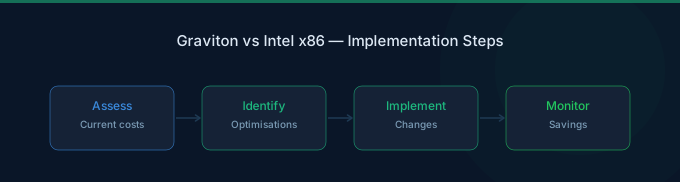
Graviton isn't just EC2. It's available across major AWS services, each with the same ~20% savings:
| Service | Graviton Support | Savings |
|---|---|---|
| EC2 | m7g, c7g, r7g, t4g, im4gn, is4gen | ~20% |
| RDS | All engines (MySQL, PostgreSQL, MariaDB) | ~20% |
| Aurora | MySQL and PostgreSQL compatible | ~20% |
| ElastiCache | Redis and Memcached | ~20% |
| OpenSearch | All node types | ~20% |
| EMR | Spark, Hive, Presto | ~20% |
| Lambda | ARM64 architecture option | ~20% |
| EKS/ECS | ARM64 node groups | ~20% |
Lambda on Graviton
Lambda on ARM64 (Graviton2) costs 20% less with up to 34% better price-performance for most functions:
| Config | x86 Price | ARM64 Price | Savings |
|---|---|---|---|
| 128MB, 1M requests | $2.30/mo | $1.84/mo | 20% |
| 512MB, 10M requests | $17.50/mo | $14.00/mo | 20% |
| 1024MB, 50M requests | $85.00/mo | $68.00/mo | 20% |
Change one setting in your Lambda configuration — no code changes required for most runtimes (Node.js, Python, Java, Go, .NET 6+).
Migration Guide
Step 1: Identify Candidates
Start with the easiest wins (see the Graviton getting started guide for details):
- Linux-based workloads — All Linux distributions support ARM64
- Containerized apps — Docker multi-arch images work automatically
- Managed services — RDS, ElastiCache, OpenSearch — just change instance type
- Lambda functions — Change architecture setting, deploy, done
Step 2: Test in Dev/Staging
For EC2 workloads:
- Launch a Graviton instance in the same family (m7i → m7g)
- Deploy your application
- Run your test suite
- Compare performance metrics
Most applications work immediately. The few that don't typically need:
- Recompilation of native binaries (C/C++ code)
- Updated container base images (use multi-arch)
- Different package repositories for ARM64
Step 3: Migrate Production
For managed services (RDS, ElastiCache), migration is a modify operation:
- Select the Graviton instance type
- Apply during maintenance window
- Done — AWS handles the rest
For EC2, use a blue/green deployment:
- Launch new Graviton instances behind the load balancer
- Shift traffic gradually
- Terminate old Intel instances
Step 4: Verify and Monitor
Compare before/after metrics:
- Response latency (should be equal or better)
- CPU utilization (may be lower due to better efficiency)
- Cost per request (should drop ~20%)
Related Guides
- AWS EC2 Pricing Guide
- AWS EC2 Cost Optimization Guide
- AWS Fargate Cost Optimization Guide
- AWS RDS Cost Optimization Guide
Frequently Asked Questions
Is Graviton really 20% cheaper?
Yes. The 20% price reduction is consistent across all Graviton instance families compared to equivalent Intel instances in the same generation. A c7g.xlarge costs exactly 20% less per hour than a c7i.xlarge, with comparable specs.
Can I run Docker containers on Graviton?
Yes. Most Docker images support multi-architecture builds (linux/amd64 and linux/arm64). Public images on Docker Hub and ECR increasingly ship multi-arch by default. If your image is x86-only, rebuild with docker buildx for ARM64 — usually just a rebuild, no code changes.
Does RDS on Graviton perform differently?
RDS on Graviton instances delivers equal or slightly better database performance at 20% lower cost. AWS supports Graviton for MySQL, PostgreSQL, MariaDB, and Aurora. Migration is a simple instance type change during a maintenance window.
Should I switch all instances to Graviton?
Switch everything that can run on ARM64 — which is most Linux workloads. Keep Intel for: Windows, software that only ships x86 binaries, GPU instances, and workloads with hard dependencies on x86-specific instruction sets. For most organizations, 70-90% of instances can move to Graviton.
Stop Paying the Intel Tax
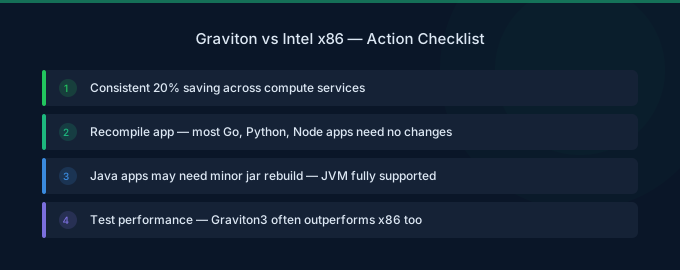
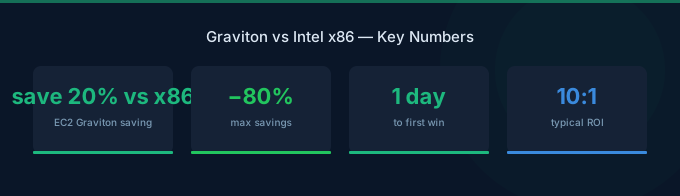
Graviton is the easiest cost optimization on AWS. No architecture changes, no code rewrites, no commitment purchases — just a 20% price cut for switching instance families. The steps:
- Audit your fleet — List all EC2, RDS, ElastiCache, and Lambda resources
- Identify x86-only blockers — Windows, proprietary x86 binaries, GPU workloads
- Migrate dev/test first — Build confidence without production risk
- Roll out to production — Blue/green for EC2, modify for managed services
Lower Your EC2 Costs with Wring
Wring helps you access AWS credits and volume discounts to lower your EC2 costs. Through group buying power, Wring negotiates better rates so you pay less per compute hour.


