
Bedrock Agents transform foundation models from question-answering systems into autonomous actors that can reason through multi-step tasks, call APIs, query databases, and execute business logic. Unlike simple prompt-response patterns, agents decompose complex requests into steps, decide which tools to use, handle errors, and iterate until the task is complete.
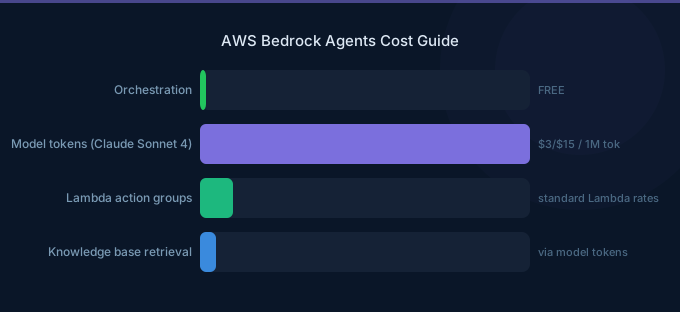
TL;DR: Bedrock Agents combine a foundation model (the "brain") with action groups (the "hands") and optional knowledge bases (the "memory"). The agent receives a user request, reasons about the steps needed, calls Lambda functions or APIs through action groups, processes results, and generates a final response. There's no additional charge for agent orchestration — you pay only for the foundation model tokens consumed during reasoning and the Lambda/API costs for action execution.
How Bedrock Agents Work
User Request → Agent (Foundation Model) → Reasoning Loop:
  1. Analyze request
  2. Select action group / knowledge base
  3. Execute action (Lambda / API)
  4. Process result
  5. Decide: more actions needed? → loop back to 2
  6. Generate final response → User
The agent uses ReAct-style reasoning: it thinks about what to do, acts, observes the result, and decides the next step. This loop continues until the task is complete or the agent determines it cannot proceed.
Core Components
Foundation Model
The model powers reasoning, planning, and response generation. Model choice affects both quality and cost (see Bedrock documentation):
| Model | Best For | Relative Cost |
|---|---|---|
| Claude Sonnet | Complex multi-step reasoning | Medium |
| Claude Haiku | Simple tool-calling agents | Low |
| Claude Opus | Advanced reasoning with ambiguity | High |
| Llama 70B | Cost-sensitive agents | Low |
Action Groups
Action groups define the tools an agent can use. Each action group maps to either:
- Lambda function: Your custom code that executes the action
- API schema (OpenAPI): Bedrock calls the API directly based on an OpenAPI spec
- Return of Control: Bedrock returns the action to your application to execute
| Action Group Type | Pros | Cons |
|---|---|---|
| Lambda | Full flexibility, any logic | Lambda cold starts, you manage code |
| OpenAPI Schema | No Lambda needed, direct API call | API must be accessible, less flexibility |
| Return of Control | Your app executes, full control | Added latency, more integration code |
Knowledge Bases
Agents can query one or more Knowledge Bases during reasoning to ground responses in your data. The agent decides when to query the KB based on the user's question.
Building an Agent: Step by Step
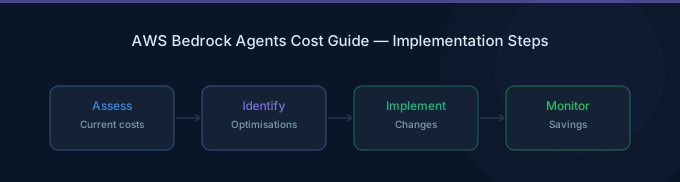
Step 1: Define the Agent's Purpose
Write clear instructions that describe what the agent should do, what tools it has, and how it should behave. This is the agent's system prompt.
Example: "You are a customer support agent for an e-commerce platform. You can look up orders, process returns, and check product availability. Always verify the customer's identity before accessing order information."
Step 2: Create Action Groups
Define each tool the agent can use with:
- Name and description (the agent reads these to decide when to use the tool)
- Parameters (what inputs the tool needs)
- Lambda function or API endpoint (what executes when the tool is called)
Example action group: OrderLookup
- Description: "Look up an order by order ID or customer email"
- Parameters:
orderId(string, optional),customerEmail(string, optional) - Lambda: Queries your order database and returns order details
Step 3: Attach Knowledge Bases (Optional)
Connect knowledge bases for the agent to reference:
- Product documentation
- Return policies
- FAQ content
Step 4: Configure Guardrails (Optional)
Apply Guardrails to filter harmful inputs and ensure outputs comply with your policies.
Step 5: Test and Iterate
Use the Bedrock console's test window to run conversations and inspect the agent's reasoning trace — every step of its thought process, tool calls, and results.
Pricing
| Component | Cost |
|---|---|
| Agent orchestration | Free (no additional charge) |
| Foundation model tokens | Standard model pricing |
| Lambda invocations | Standard Lambda pricing |
| Knowledge Base queries | Embedding + vector store + model tokens |
| Guardrails | $0.75 per 1,000 text units |
Token overhead: Agents consume 2-5x more tokens than direct model calls because of reasoning traces, tool descriptions, and multi-turn orchestration. A single agent invocation that calls 3 tools might consume 5,000-15,000 tokens total.
Cost Example
A customer support agent handling 10,000 conversations/month, averaging 3 tool calls per conversation:
| Component | Monthly Cost |
|---|---|
| Claude Sonnet tokens (avg 8K tokens/conversation) | $720 |
| Lambda invocations (30K calls) | $0.60 |
| Knowledge Base queries (10K retrievals) | $160 |
| Total | ~$881/month |
Production Best Practices
1. Write Detailed Action Group Descriptions
The agent selects tools based on descriptions. Vague descriptions lead to wrong tool selection. Include when to use the tool, what it returns, and edge cases.
2. Handle Errors Gracefully
Lambda functions should return clear error messages. The agent can retry or try alternative approaches when a tool fails — but only if the error message explains what went wrong.
3. Limit Agent Scope
Don't create one agent that does everything. Create specialized agents (order agent, product agent, billing agent) and route users to the appropriate one. Fewer tools per agent = better tool selection accuracy.
4. Use Session Context
Bedrock Agents support session persistence. Use session attributes to maintain state across turns — customer identity, order context, previous actions — without re-processing everything each turn.
5. Monitor Reasoning Traces
Log and review agent traces regularly. Look for:
- Unnecessary tool calls (wasted tokens)
- Wrong tool selection (instruction clarity issue)
- Excessive reasoning loops (prompt optimization needed)
Related Guides
- AWS Bedrock Knowledge Bases Guide
- AWS Bedrock Guardrails Guide
- AWS Bedrock Pricing Guide
- AWS Bedrock LLM Models Guide
FAQ
How do Bedrock Agents compare to LangChain agents?
Bedrock Agents are fully managed — no infrastructure, no framework code, no vector store management. LangChain gives you more flexibility but requires you to build and host everything. For AWS-native applications, Bedrock Agents are faster to deploy. For complex custom pipelines, LangChain may offer more control.
Can agents call external APIs outside AWS?
Yes. Action groups with OpenAPI schemas can call any HTTP endpoint accessible from the Bedrock service. For private APIs, use Lambda functions as the action group executor — Lambda can access VPC resources and private endpoints.
How do I reduce agent token costs?
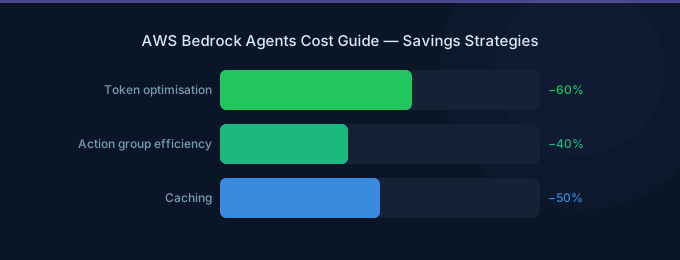
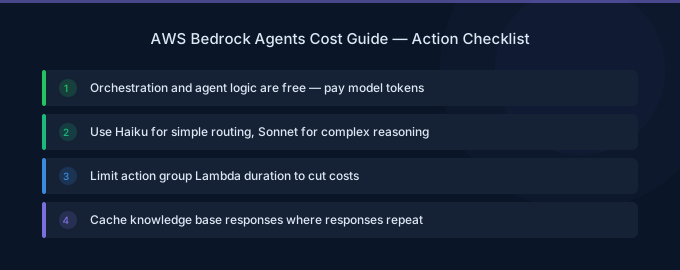
Use Claude Haiku for simple agents (classification, lookup tasks). Minimize the number of tools (each tool description consumes tokens). Use concise action group descriptions. Enable prompt caching for the agent's system prompt if it's large.
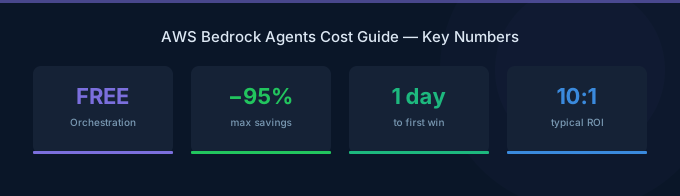
Lower Your Bedrock Agents Costs with Wring
Wring helps you access AWS credits and volume discounts to lower your Bedrock Agents costs. Through group buying power, Wring negotiates better rates so you pay less per model invocation.


