
AWS Transcribe is a managed speech-to-text service that converts audio into accurate text transcripts. With pricing based on seconds of audio processed, Transcribe supports batch and real-time streaming transcription with features like speaker diarization, custom vocabularies, and automatic language identification.
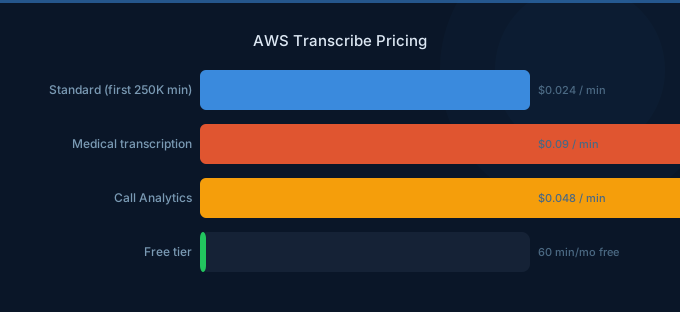
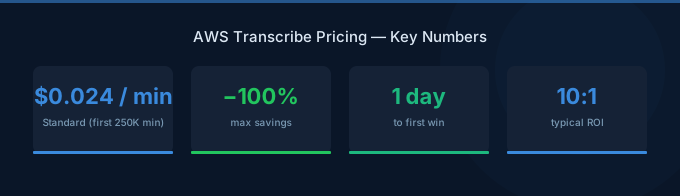
TL;DR: Standard transcription costs $0.024 per minute ($1.44/hour). Medical transcription is $0.0175 per minute. Call Analytics costs $0.035 per minute. Free tier includes 60 minutes per month for 12 months. Use batch processing and compress audio to mono before transcribing to reduce costs.
Standard Transcription Pricing
| Feature | Price per Minute |
|---|---|
| Batch transcription | $0.024 |
| Streaming transcription | $0.024 |
Standard transcription supports over 100 languages and dialects. Both batch (pre-recorded audio files) and streaming (real-time) transcription are billed at the same per-minute rate. Billing is per-second with a minimum charge of 15 seconds per request.
Included Features at No Extra Cost
The following features are included in the standard per-minute rate:
- Speaker diarization - Identify and label individual speakers
- Custom vocabulary - Improve accuracy for domain-specific terms
- Custom language models - Train models on your specific content
- Automatic language identification - Detect the spoken language
- Vocabulary filtering - Mask or remove specific words
- Punctuation and formatting - Automatic capitalization and punctuation
Medical Transcription Pricing
| Feature | Price per Minute |
|---|---|
| Medical batch transcription | $0.0175 |
| Medical streaming transcription | $0.0175 |
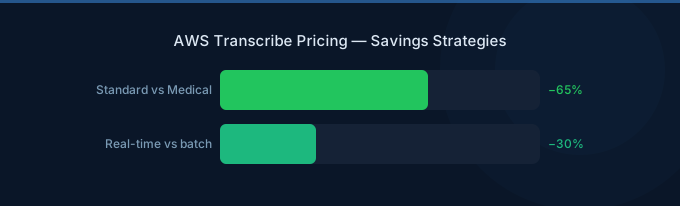
Amazon Transcribe Medical is optimized for medical conversations and dictation. It recognizes medical terminology, drug names, and clinical language. At $0.0175 per minute, it is actually 27% cheaper than standard transcription.
Medical Transcribe is HIPAA-eligible and supports both batch and streaming modes for clinical documentation, telemedicine, and medical dictation workflows.
Call Analytics Pricing
| Feature | Price per Minute |
|---|---|
| Post-call analytics | $0.035 |
| Real-time call analytics | $0.035 |
Call Analytics provides transcription plus additional insights including:
- Sentiment analysis - Detect caller and agent sentiment throughout the call
- Call categorization - Automatically tag calls based on defined rules
- Call summarization - Generate concise call summaries
- Issue detection - Identify customer issues and action items
- Talk time and interruptions - Measure agent and caller participation
At $0.035 per minute, Call Analytics is 46% more expensive than standard transcription but bundles NLP features that would otherwise require separate Comprehend API calls.
Toxicity Detection
| Feature | Price per Minute |
|---|---|
| Toxicity detection | $0.012 per minute (add-on) |
Toxicity detection identifies harmful content in transcribed text, including hate speech, harassment, and threats. This is an additional charge on top of the base transcription rate.
Free Tier
| Feature | Free Allowance | Duration |
|---|---|---|
| Standard transcription | 60 minutes/month | 12 months |
| Call Analytics | 60 minutes/month | 12 months |
The Transcribe free tier provides 60 minutes of free transcription per month for the first 12 months. Standard and Call Analytics each have their own independent 60-minute allowance. Medical transcription is not included in the free tier.
Batch vs Streaming Cost Comparison
While batch and streaming share the same per-minute rate, operational costs differ:
| Factor | Batch | Streaming |
|---|---|---|
| Per-minute rate | $0.024 | $0.024 |
| Minimum charge | 15 seconds | 15 seconds |
| S3 storage for input | Required | Not needed |
| Latency | Minutes to hours | Real-time |
| Best for | Pre-recorded audio, bulk processing | Live captions, real-time apps |
Batch transcription reads audio files from Amazon S3 and writes results back to S3. For large volumes of pre-recorded audio, batch jobs can be queued and processed during off-peak hours, simplifying pipeline management.
Real-World Cost Examples
| Use Case | Type | Monthly Volume | Monthly Cost |
|---|---|---|---|
| Podcast transcription | Standard batch | 100 hours | $144 |
| Meeting notes (real-time) | Standard streaming | 500 hours | $720 |
| Medical dictation | Medical batch | 200 hours | $210 |
| Call center analytics | Call Analytics | 10,000 hours | $21,000 |
| Video captioning | Standard batch | 1,000 hours | $1,440 |
| Lecture transcription | Standard batch | 50 hours | $72 |
Transcribe vs Alternatives
| Service | Standard Price per Minute | Medical Support | Call Analytics |
|---|---|---|---|
| AWS Transcribe | $0.024 | Yes ($0.0175) | Yes ($0.035) |
| Google Speech-to-Text | $0.024 (standard), $0.036 (enhanced) | Yes (enhanced) | No |
| Azure Speech Services | $0.0167 (batch), $0.0250 (real-time) | Yes | Limited |
| OpenAI Whisper (API) | $0.006 | No | No |
| OpenAI Whisper (self-hosted) | Compute costs only | No | No |
Cost Optimization Tips
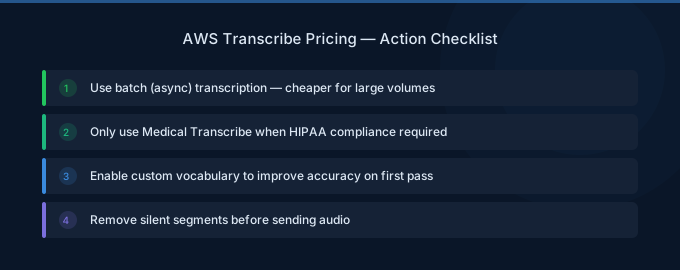
1. Use Batch Processing When Possible
For pre-recorded audio that does not need real-time results, batch transcription simplifies your architecture and lets you process files during off-peak hours. While the per-minute rate is identical, batch avoids the WebSocket connection overhead of streaming.
2. Convert Audio to Mono Before Transcribing
Transcribe charges based on audio duration, not file size. However, converting stereo or multi-channel audio to mono before processing ensures you are not paying for redundant channels. Use Amazon S3 Batch Operations with Lambda to pre-process audio files.
3. Trim Silence and Non-Speech Segments
Remove silence, hold music, and automated system prompts from call recordings before transcription. For a typical call center recording, trimming silence can reduce billable minutes by 15-25%.
4. Evaluate Call Analytics vs Transcribe Plus Comprehend
Call Analytics at $0.035 per minute bundles sentiment and categorization. Running standard transcription ($0.024) followed by Comprehend sentiment analysis may cost more or less depending on transcript length. For calls averaging 5 minutes with 500-word transcripts, Call Analytics is typically more cost-effective.
5. Use Custom Vocabulary for Accuracy
Poor transcription accuracy leads to reprocessing or manual correction. Investing in custom vocabularies (included at no extra charge) improves first-pass accuracy, reducing downstream correction costs and potential re-transcription.
Related Guides
- AWS Bedrock Pricing Guide
- AWS Comprehend Pricing Guide
- AWS S3 Pricing Guide
- AWS Lambda Pricing Guide
FAQ
How is transcription time measured?
Transcribe bills per second of audio with a minimum of 15 seconds per request. A 3-minute audio file costs $0.072 (180 seconds x $0.024/60). Silence within the audio is still billed since Transcribe processes the full audio duration.
Can I transcribe video files directly?
Yes. Transcribe supports audio extraction from video files in formats including MP4, FLAC, WAV, and WebM. You do not need to extract the audio track separately. The billing is based on the audio duration of the video file.
Does custom vocabulary training cost extra?
No. Creating and using custom vocabularies and custom language models is included in the standard per-minute transcription rate. There is no additional charge for vocabulary creation, storage, or usage during transcription.
Lower Your Transcribe Costs with Wring
Wring helps you access AWS credits and volume discounts to lower your Transcribe speech-to-text costs. Through group buying power, Wring negotiates better rates so you pay less per minute transcribed.


