
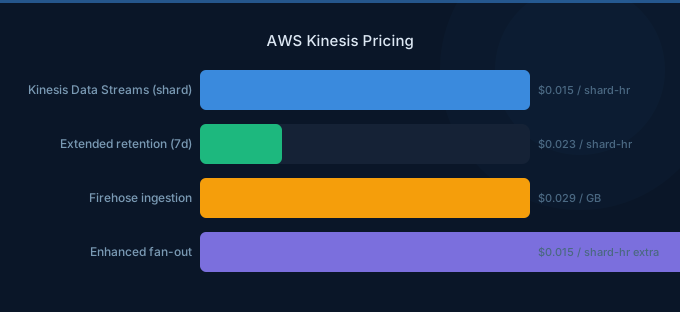
AWS Kinesis provides real-time data streaming through three services: Data Streams, Data Firehose, and Data Analytics. Each has a different pricing model, and choosing the right service for your use case can save 50-80%. The most common mistake is using Data Streams with provisioned shards when Firehose would handle the workload at a fraction of the cost.
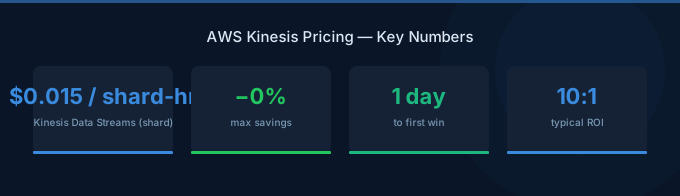
TL;DR: Kinesis Data Streams costs $0.015/shard-hour (provisioned) or $0.04/GB (on-demand). Firehose costs $0.029/GB ingested with no shard management. Data Analytics costs $0.11/KPU-hour. For simple delivery to S3, Redshift, or OpenSearch, use Firehose. For real-time processing with multiple consumers, use Data Streams on-demand mode.
Kinesis Data Streams Pricing
Provisioned Mode
| Component | Cost |
|---|---|
| Shard hour | $0.015/hour ($10.95/month) |
| PUT payload unit (25 KB) | $0.014 per million |
| Enhanced fan-out data retrieval | $0.013 per GB |
| Enhanced fan-out consumer-hour | $0.015/hour |
| Extended retention (beyond 24 hrs) | $0.014/shard-hour |
| Long-term retention (beyond 7 days) | $0.023/GB/month |
On-Demand Mode
| Component | Cost |
|---|---|
| Stream hour | $0.04/GB ingested |
| Data retrieval | Free (standard consumers) |
| Peak throughput | Auto-scales up to 200 MB/s |
Kinesis Data Firehose Pricing
| Component | Cost |
|---|---|
| Data ingested (first 500 TB) | $0.029/GB |
| Data ingested (next 1.5 PB) | $0.025/GB |
| Data ingested (next 3 PB) | $0.020/GB |
| Format conversion | $0.018/GB |
| VPC delivery | $0.01/GB + ENI hours |
| Dynamic partitioning | $0.019/GB |
5 KB minimum record size — records smaller than 5 KB are rounded up and billed as 5 KB.
Cost Comparison: Data Streams vs Firehose
| Scenario (100 GB/day) | Data Streams (Provisioned) | Data Streams (On-Demand) | Firehose |
|---|---|---|---|
| Compute/Shard | $33/mo (3 shards) | $120/mo | — |
| Data ingestion | $0.84/mo (PUT units) | included | $87/mo |
| Total | ~$34/mo | ~$120/mo | ~$87/mo |
| Scenario (1 TB/day) | Data Streams (Provisioned) | Data Streams (On-Demand) | Firehose |
|---|---|---|---|
| Compute/Shard | $329/mo (30 shards) | $1,200/mo | — |
| Data ingestion | $8.40/mo | included | $870/mo |
| Total | ~$337/mo | ~$1,200/mo | ~$870/mo |
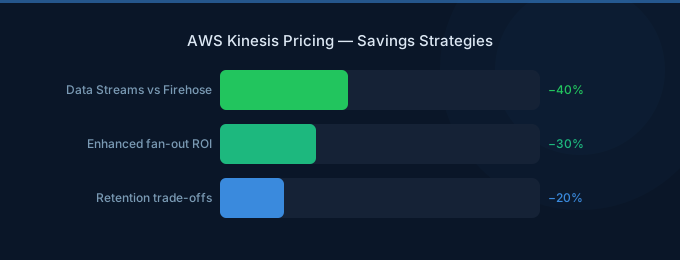
Key insight: Data Streams provisioned mode is cheapest for predictable throughput. Firehose is cheapest when you don't need real-time consumers and just want data delivered to a destination.
When to Use Each Service
| Requirement | Best Service |
|---|---|
| Deliver logs to S3 | Firehose |
| Real-time processing with Lambda | Data Streams (on-demand) |
| Multiple consumers reading same stream | Data Streams with enhanced fan-out |
| ETL to Redshift/OpenSearch | Firehose |
| Sub-second processing latency | Data Streams |
Cost Optimization Tips
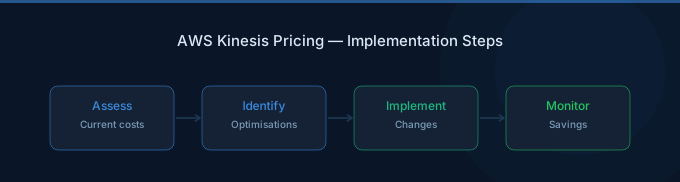
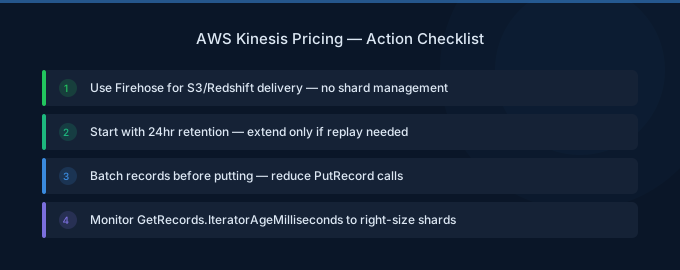
1. Use Firehose for Simple Delivery
If you're just moving data to S3, Redshift, or OpenSearch without custom processing, Firehose eliminates shard management and is often cheaper.
2. Right-Size Shard Count (Provisioned)
Each shard handles 1 MB/s ingestion. Monitor IncomingBytes and IncomingRecords to ensure you're not over-provisioned. Remove shards during off-peak hours.
3. Aggregate Records
The 25 KB PUT unit means sending 1 KB records wastes 96% of each unit. Use the Kinesis Producer Library (KPL) to aggregate multiple records into single PUTs.
4. Minimize Enhanced Fan-Out
Enhanced fan-out costs $0.015/consumer-hour + $0.013/GB. Each additional consumer adds ~$11/month minimum. Use standard polling for non-latency-critical consumers.
Related Guides
- AWS Glue Pricing Guide
- AWS Redshift Pricing Guide
- AWS Lambda Pricing Guide
- AWS CloudWatch Pricing Guide
FAQ
Is Kinesis cheaper than Amazon MSK (Kafka)?
For small to medium streaming workloads (under 500 GB/day), Kinesis is typically cheaper because there's no broker infrastructure to manage. For large-scale streaming (1+ TB/day), MSK with m5.large brokers can be more cost-effective.
Should I use provisioned or on-demand Data Streams?
Use provisioned mode when throughput is predictable — it's 2-3x cheaper. Use on-demand mode for variable or unpredictable workloads where shard management overhead isn't worth the savings.
How do I reduce the Firehose 5 KB minimum record cost?
Aggregate multiple small events into a single larger record before sending to Firehose. A Lambda function or client-side batching can combine 10 x 500-byte events into a single 5 KB record.
Lower Your Kinesis Costs with Wring
Wring helps you access AWS credits and volume discounts to lower your Kinesis costs. Through group buying power, Wring negotiates better rates so you pay less per shard-hour.


